How to show the full path in Finder, and type one
File Explorer has an address bar at the top: it always shows where you are, you can click any part of it, and you can type a path straight in. Finder splits that job in two: a path bar at the bottom that you can look at and click, and a separate Go to Folder box for typing. Here is how to use both, and how to get a real address bar.
Show the full path: the path bar
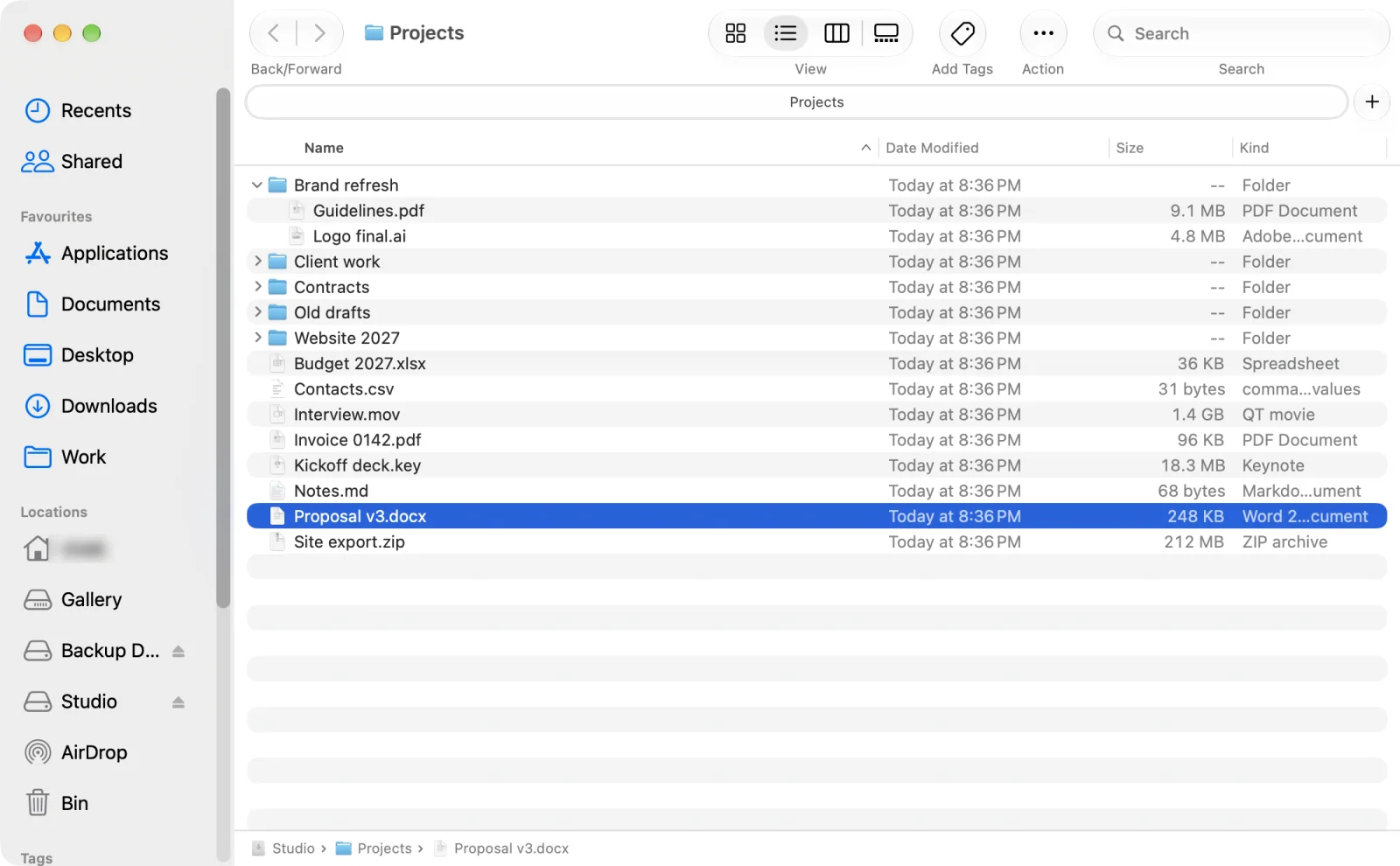
In a Finder window, choose View > Show Path Bar. The folders that contain the current folder appear along the bottom of the window. Hold Option to see it briefly without turning it on. Click any folder in it to go there. To copy a path, Control-click a folder in the path bar and choose Copy "folder" as Pathname (Apple: Get file, folder and disk information).
Type a path: Go to Folder
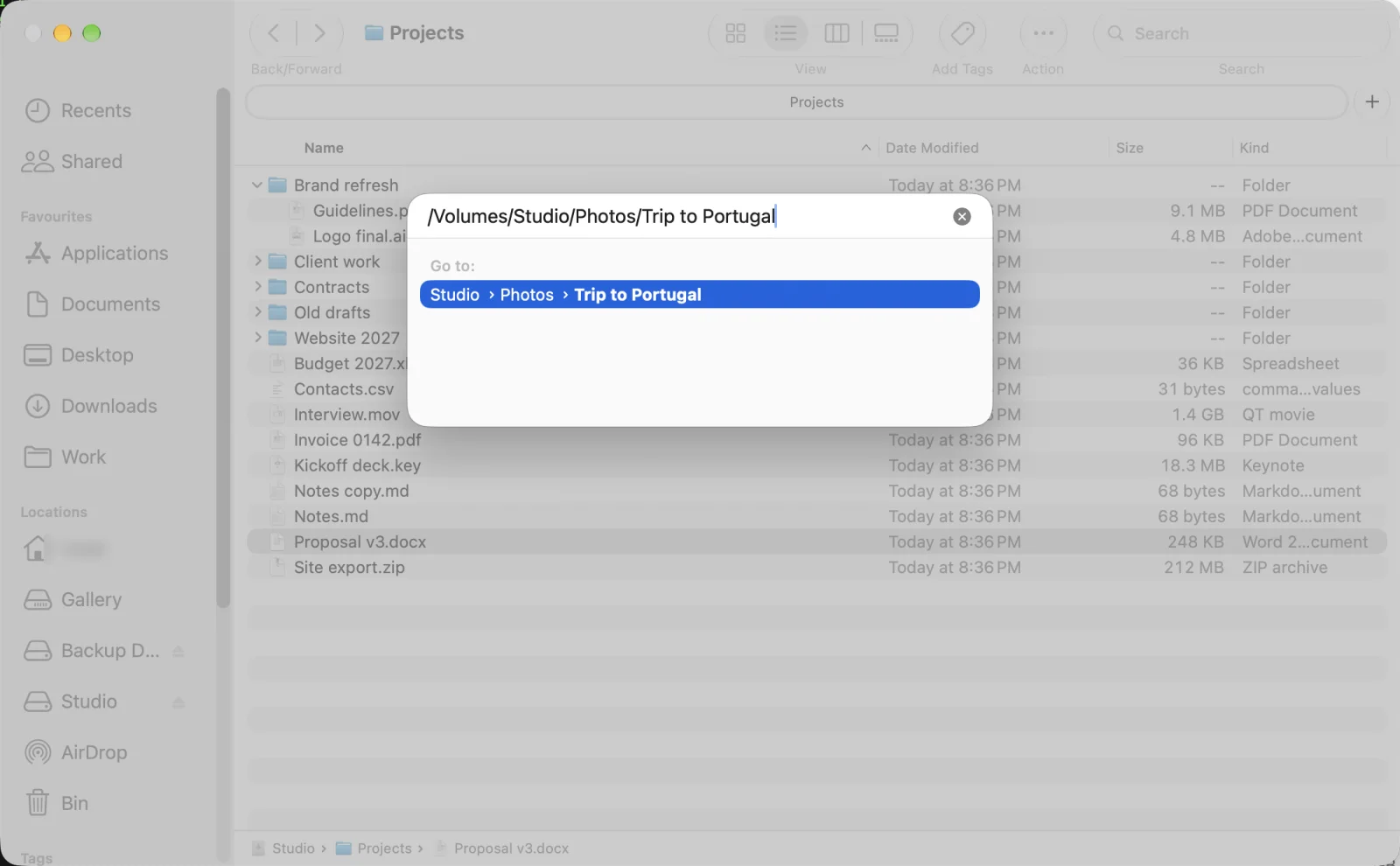
Press ⇧⌘G (Go > Go to Folder) and a box opens over the window. Type or paste a path and Finder suggests matches as you type; press Return to go there (Apple: Mac keyboard shortcuts).
A real address bar, like File Explorer
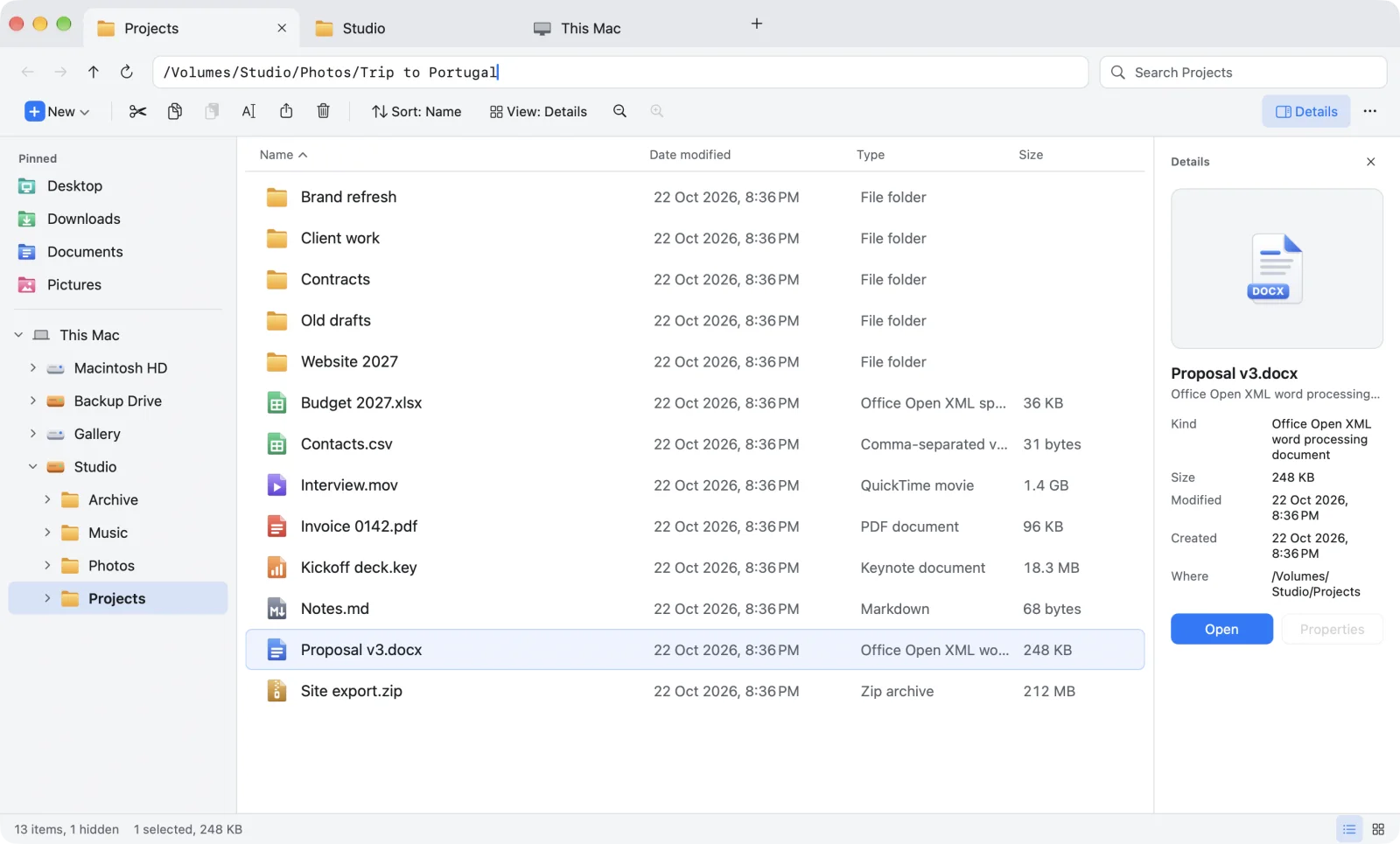
Origin puts the address bar where File Explorer has it, at the top of every window. It shows the full path as breadcrumbs you can click. Click the empty part of it, or press ⌥D with the Windows key set, and it turns into a text field: type or paste a path and press Return. The button at its right end copies the current path in one click.
| Windows File Explorer | Finder | Origin | |
|---|---|---|---|
| Where the path is shown | Address bar at the top | Path bar at the bottom, when switched on | Address bar at the top |
| Type a path | In the address bar (Alt+D) | Separate Go to Folder box (⇧⌘G) | In the address bar (⌥D) |
| Click a parent folder | ✓ | ✓ Click in the path bar | ✓ |
| Copy the current path | ✓ | Control-click in the path bar | ✓ One click |
Questions
Does Finder have an address bar?
No. Finder shows the path in a path bar at the bottom of the window (View > Show Path Bar) and lets you type a path in a separate Go to Folder box (Shift-Command-G).
How do I show the full path in Finder?
Choose View > Show Path Bar. The folders that contain the current folder appear along the bottom of the window. Hold Option to see the path bar briefly without turning it on.
How do I copy a file or folder path on a Mac?
In Finder, Control-click a folder in the path bar and choose Copy as Pathname. In Origin, click the copy button at the end of the address bar, or choose File > Copy Path.
How do I type a path in Finder?
Press Shift-Command-G to open Go to Folder, type or paste the path and press Return. In Origin you type straight into the address bar at the top of the window.
Sources: Apple: Get file, folder and disk information on Mac · Apple: Mac keyboard shortcuts
An address bar you can type into
Origin looks and works like Windows File Explorer, made properly for the Mac: a folder tree, an address bar, a command bar, tabs and real cut and paste. The beta is open now on TestFlight, and Origin is coming soon to the Mac App Store for macOS 14 or later. Join the beta and try it first.
Join the beta See the Origin file explorer for Mac