 Origin
The file manager your Mac was missing.
Origin is a native Windows-style file explorer for Mac.
Works like Windows File Explorer, made properly for the Mac: a folder tree, an address bar you can type into, split view and real cut and paste. Built so it never loses a file.
Coming soon to the Mac App Store · macOS 14 Sonoma or later
- Never loses a file. Originals stay until copies are checked.
- Private. No account, no tracking.
- Your keys. Windows or Mac shortcuts.
- Native. Sandboxed, from the Mac App Store.
Everything where your eyes look. From the first click.
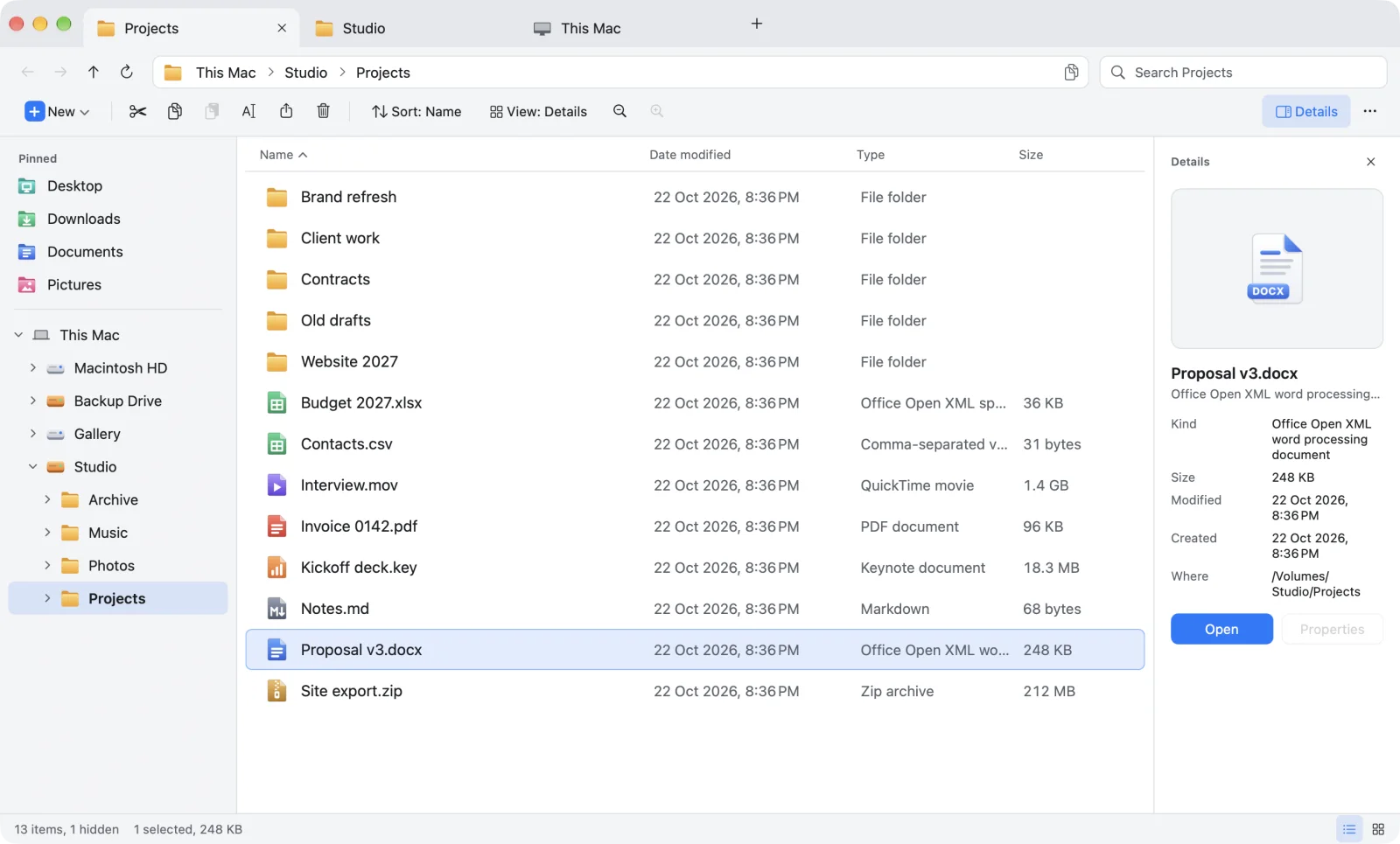
Other Mac apps borrow a few Windows shortcuts. Origin brings the whole File Explorer layout, so every part is where you expect it.
- Tabs in the title bar, like Windows 11
- Address bar with the full path; click to type one
- Search for the folder you are in
- Command bar: New, Cut, Copy, Paste, Rename, Delete
- Folder tree with your pinned folders above it
- File list with folders on top
- Details pane: preview and file info
- Status bar: item count, selection size, views
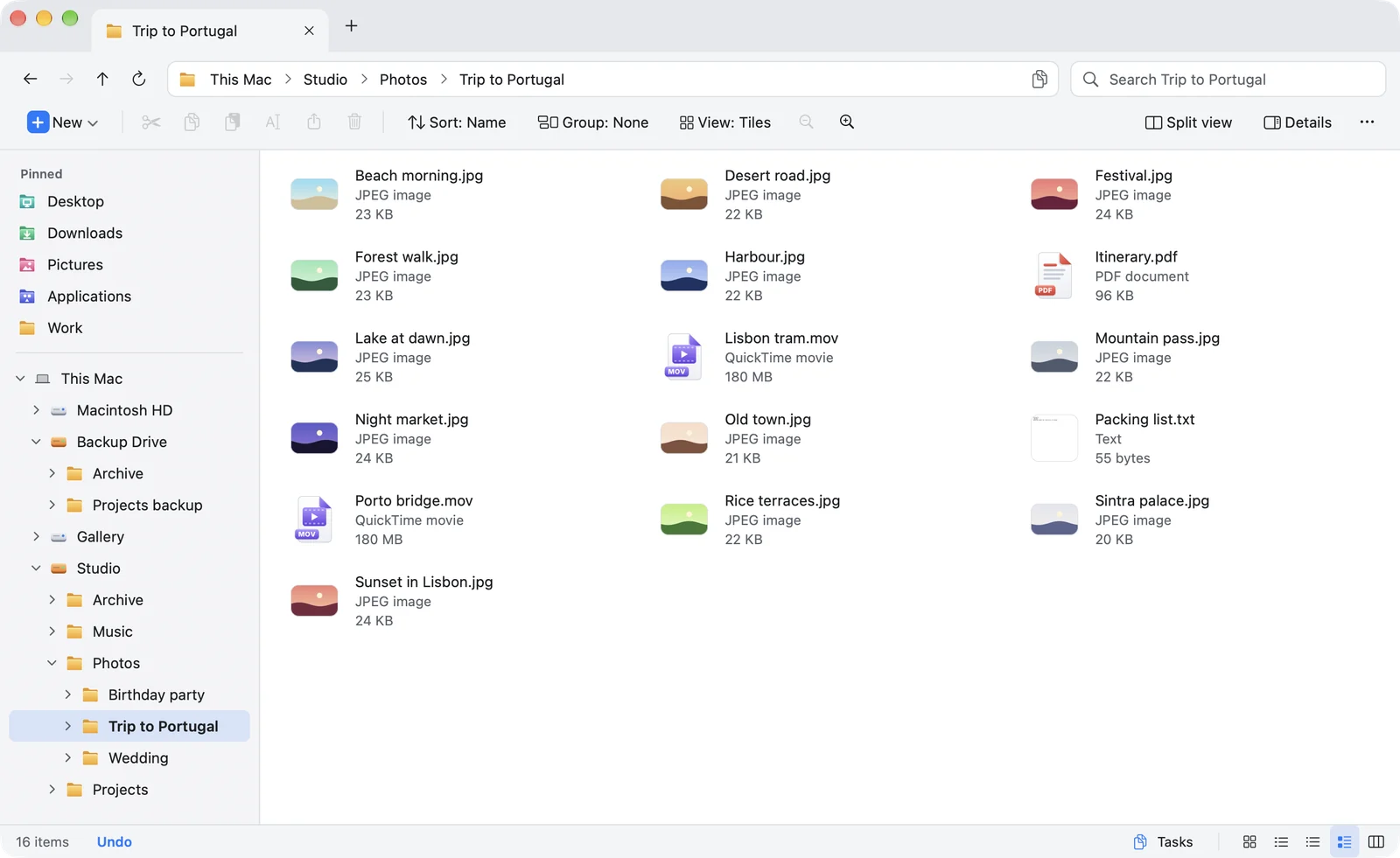
Seven views. One pinch apart.
Explorer's views and Finder's best one, side by side. Each folder remembers the view you gave it.
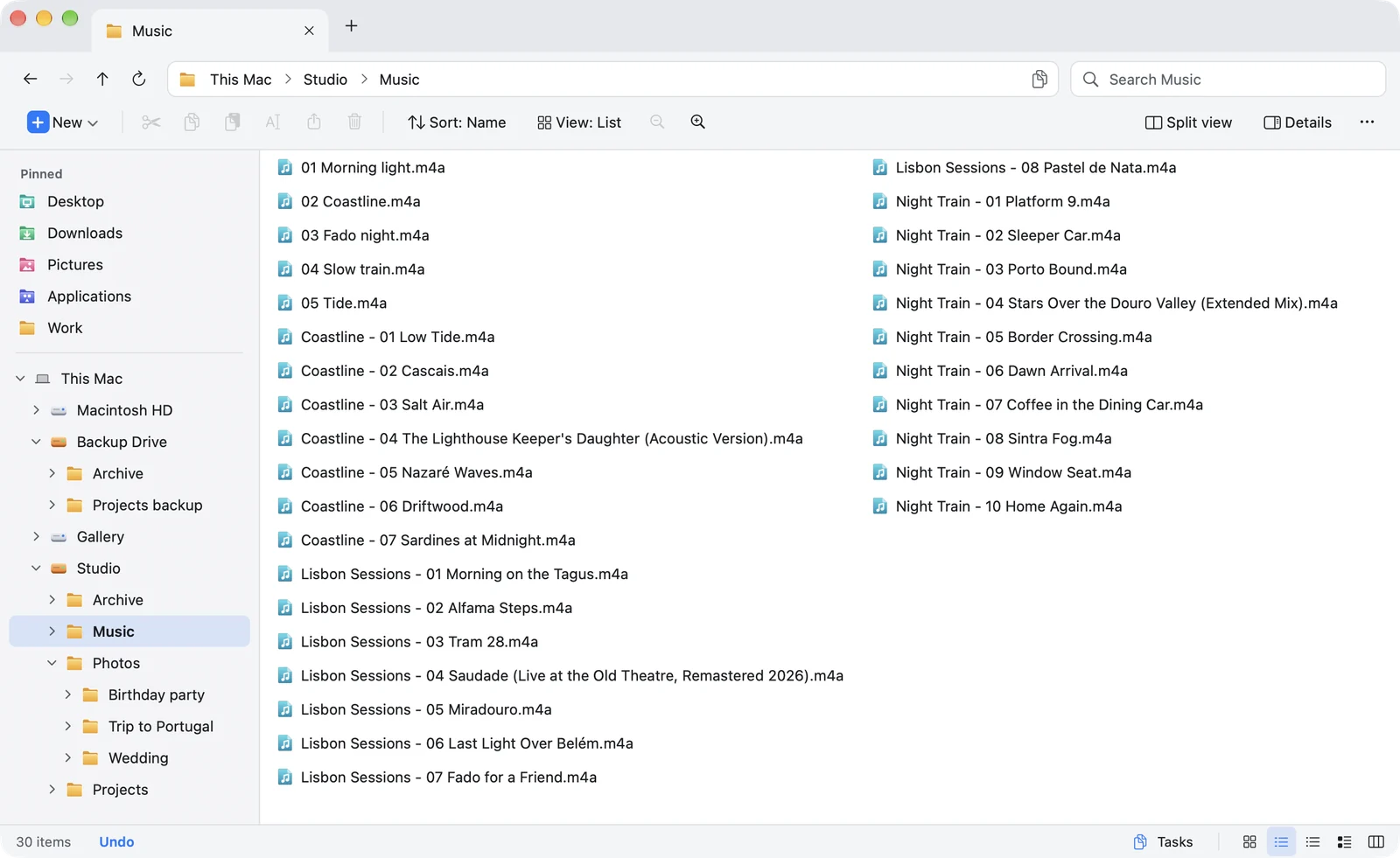
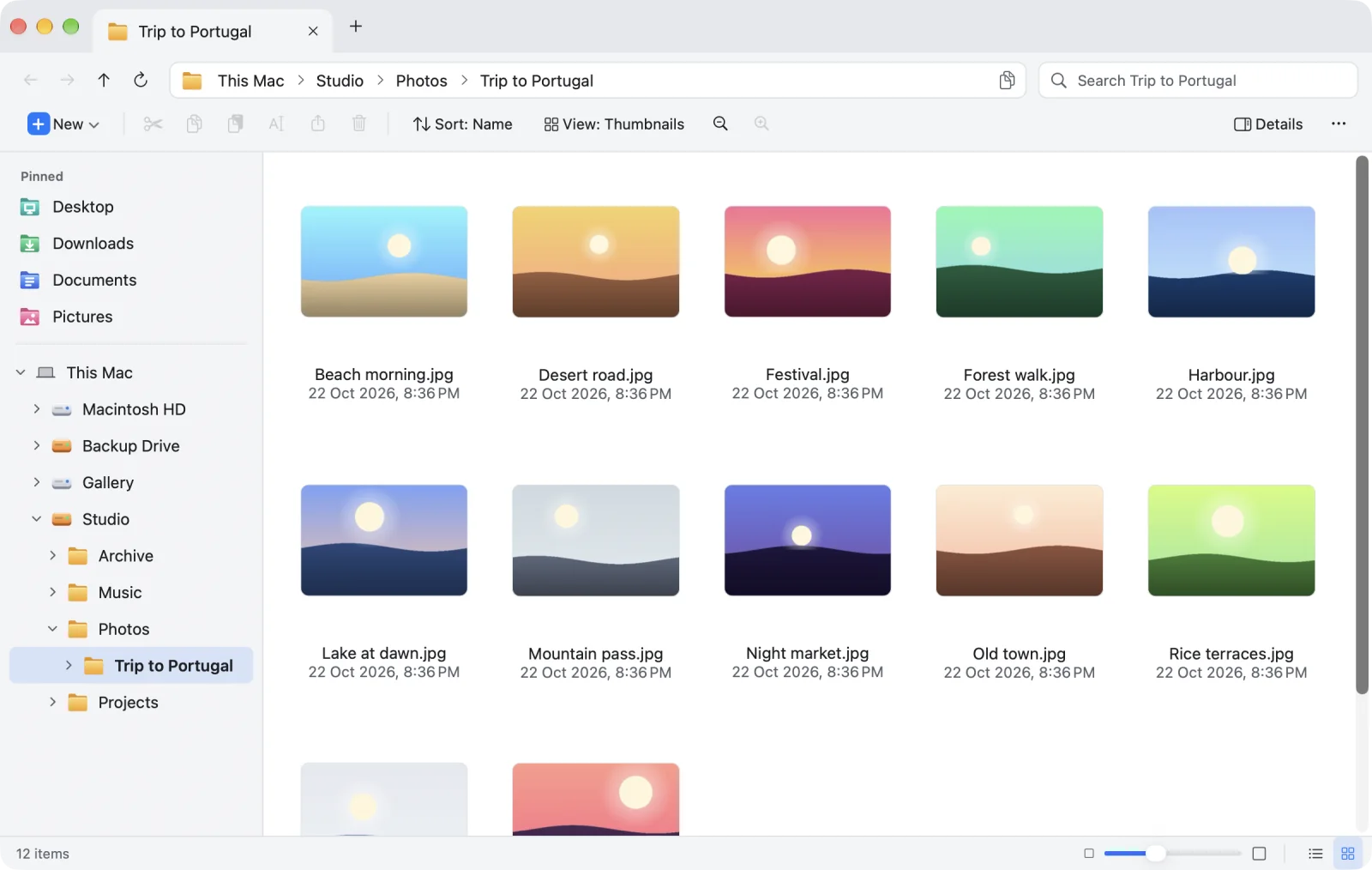
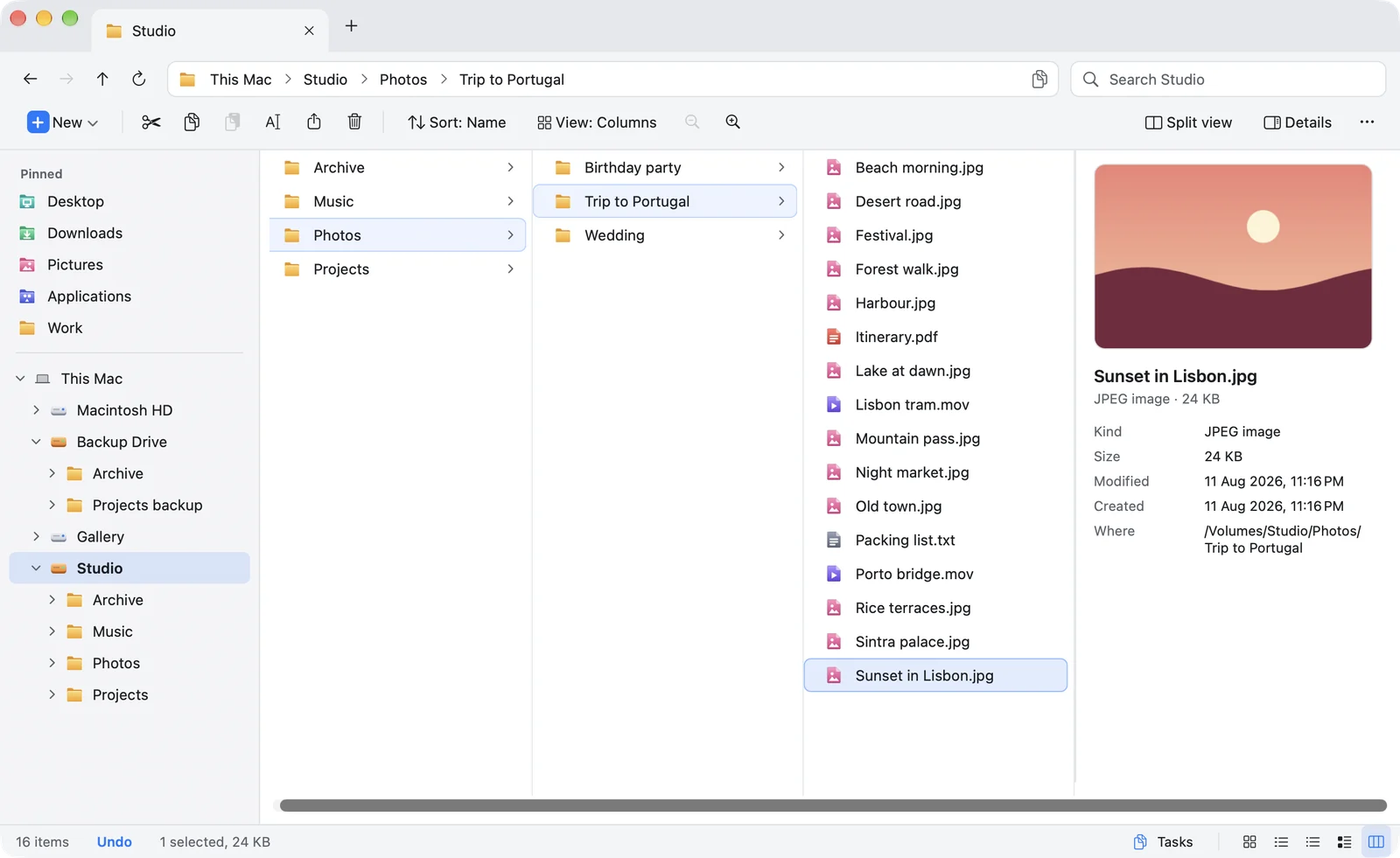
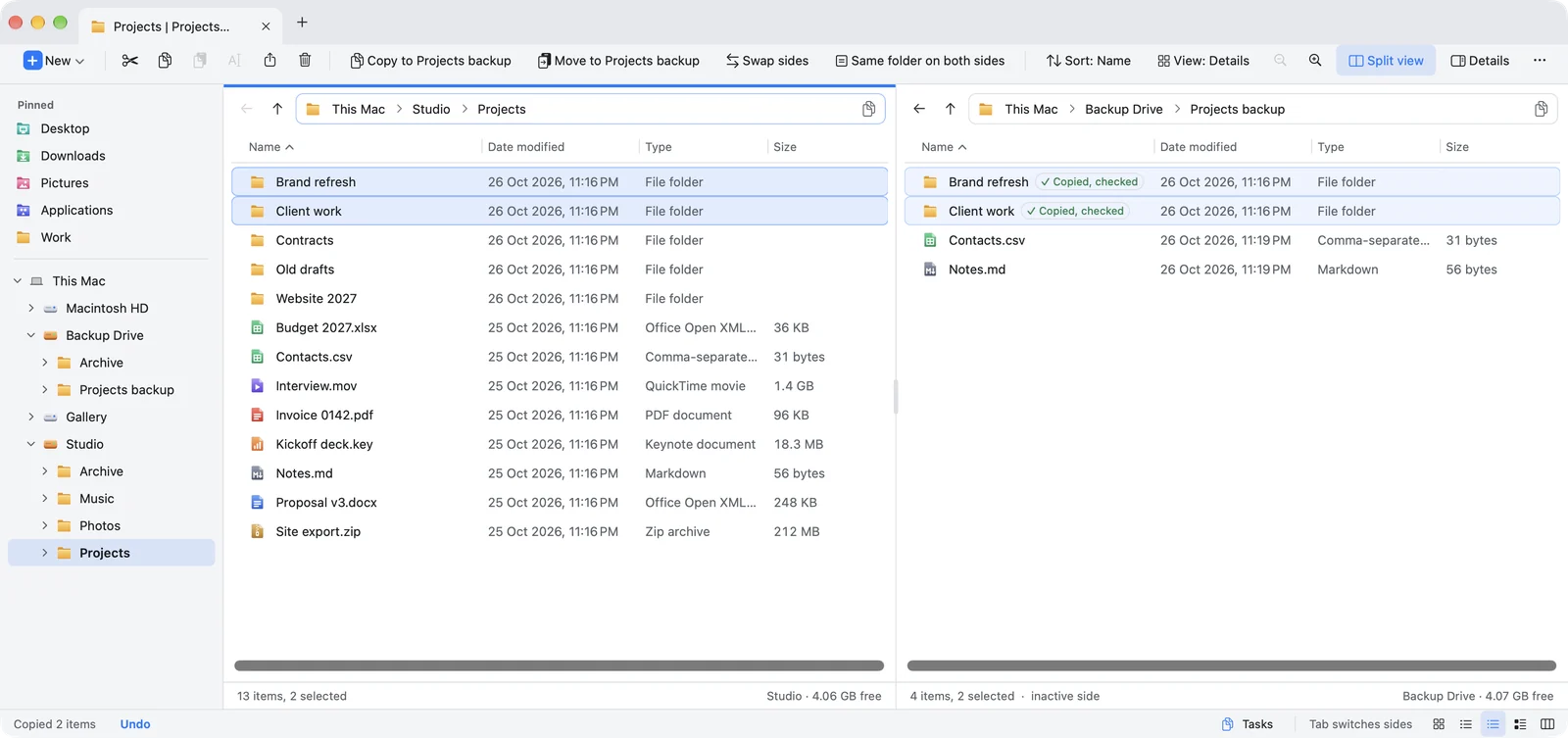
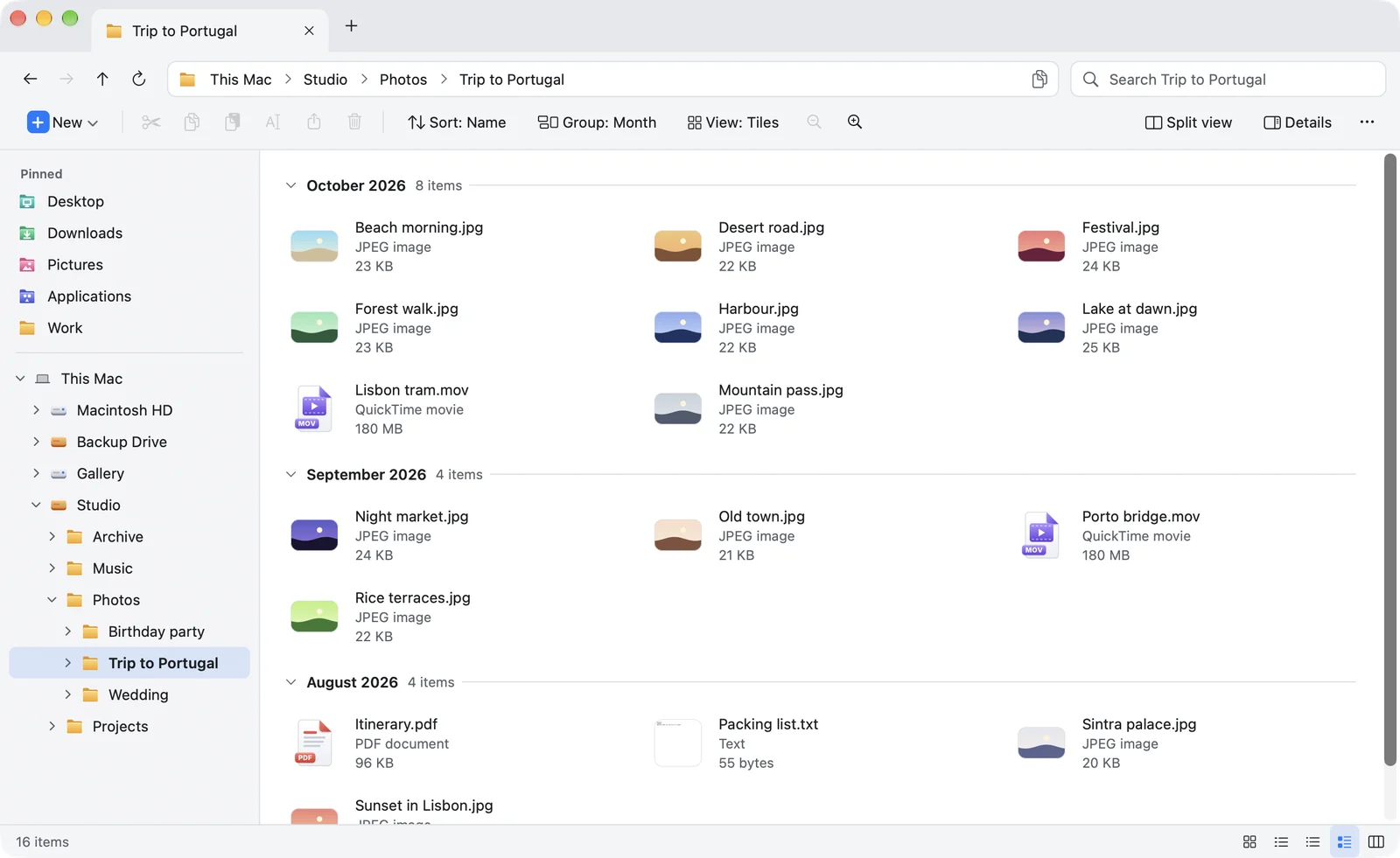
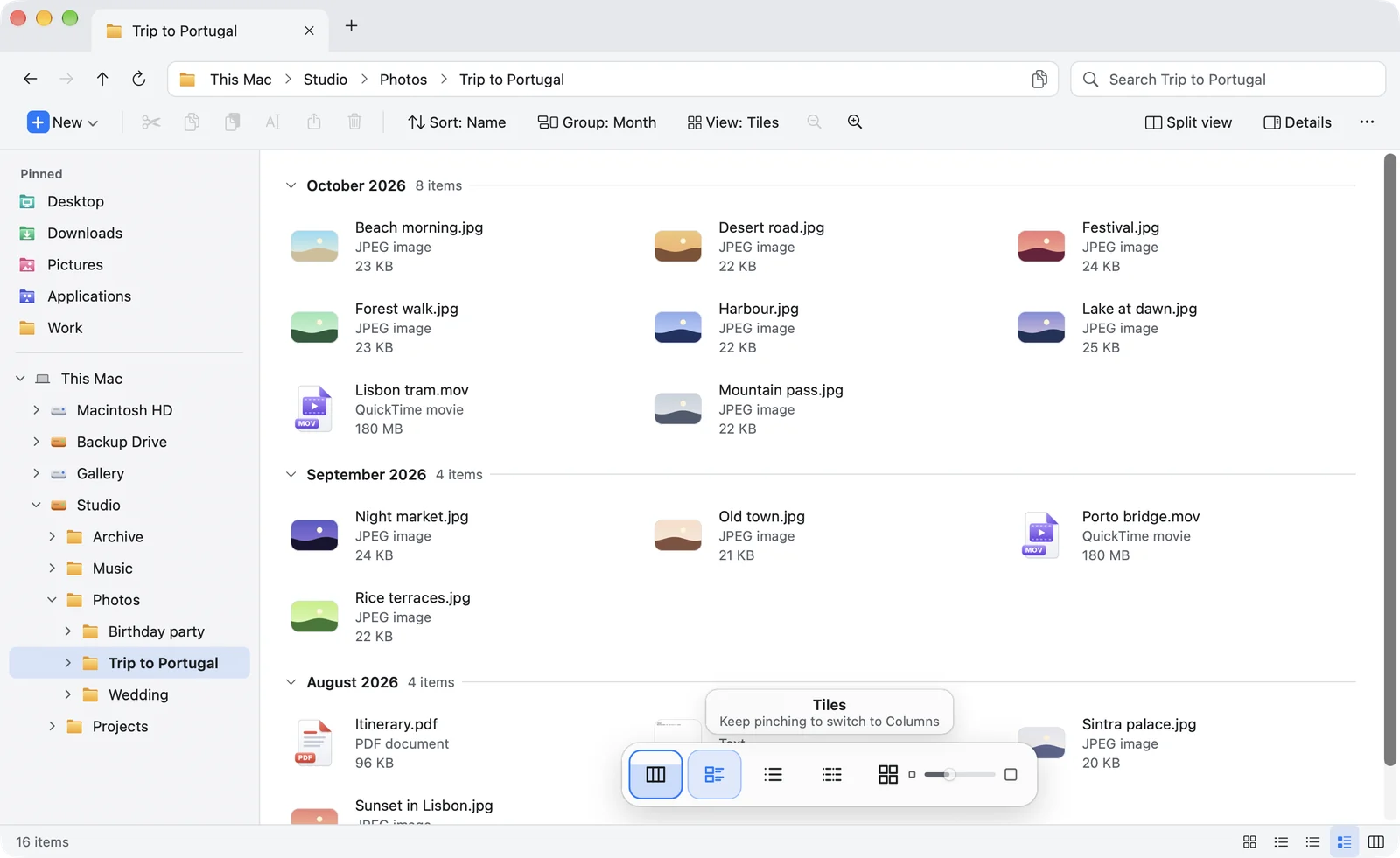
Details
Name, date, type and size in columns, with folders on top. Sort by any column with one click, and see a preview in the details pane.
Cut. Paste. Finally.
Finder has no Cut for files. In Origin you cut with ⌘X and paste with ⌘V, and cut items fade until you paste.
- Drag between tabs, into the tree, or to Finder
- Type any path with ⌥D
- Undo, even after a move
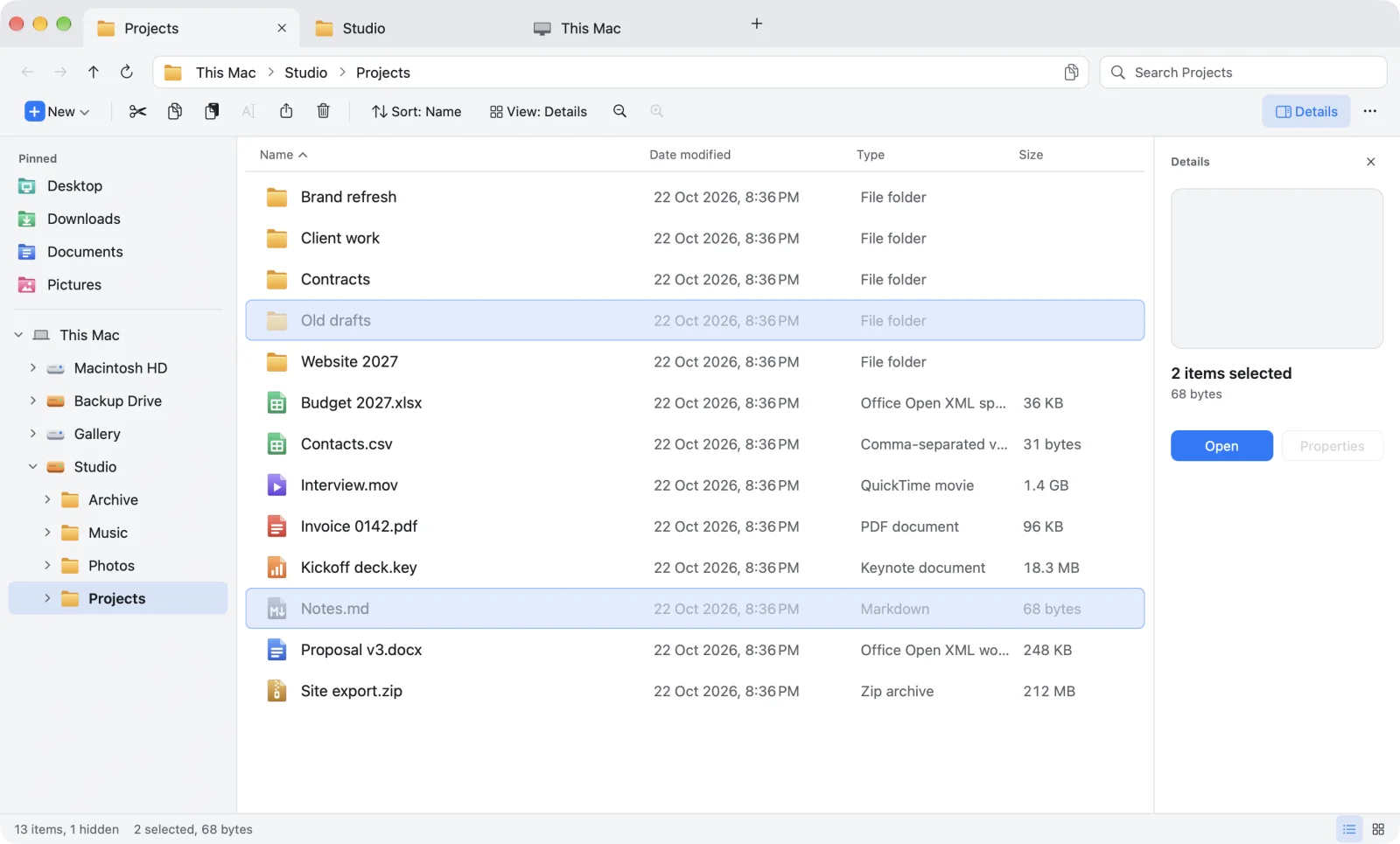
Find it. Even inside a file.
Origin looks through this folder and every folder in it. Results come in clear groups: folders, matching names, and matches inside files with the line that matched.
- Filter by kind, date and size
- Or type
kind:,modified:,size: - This folder, or all of This Mac
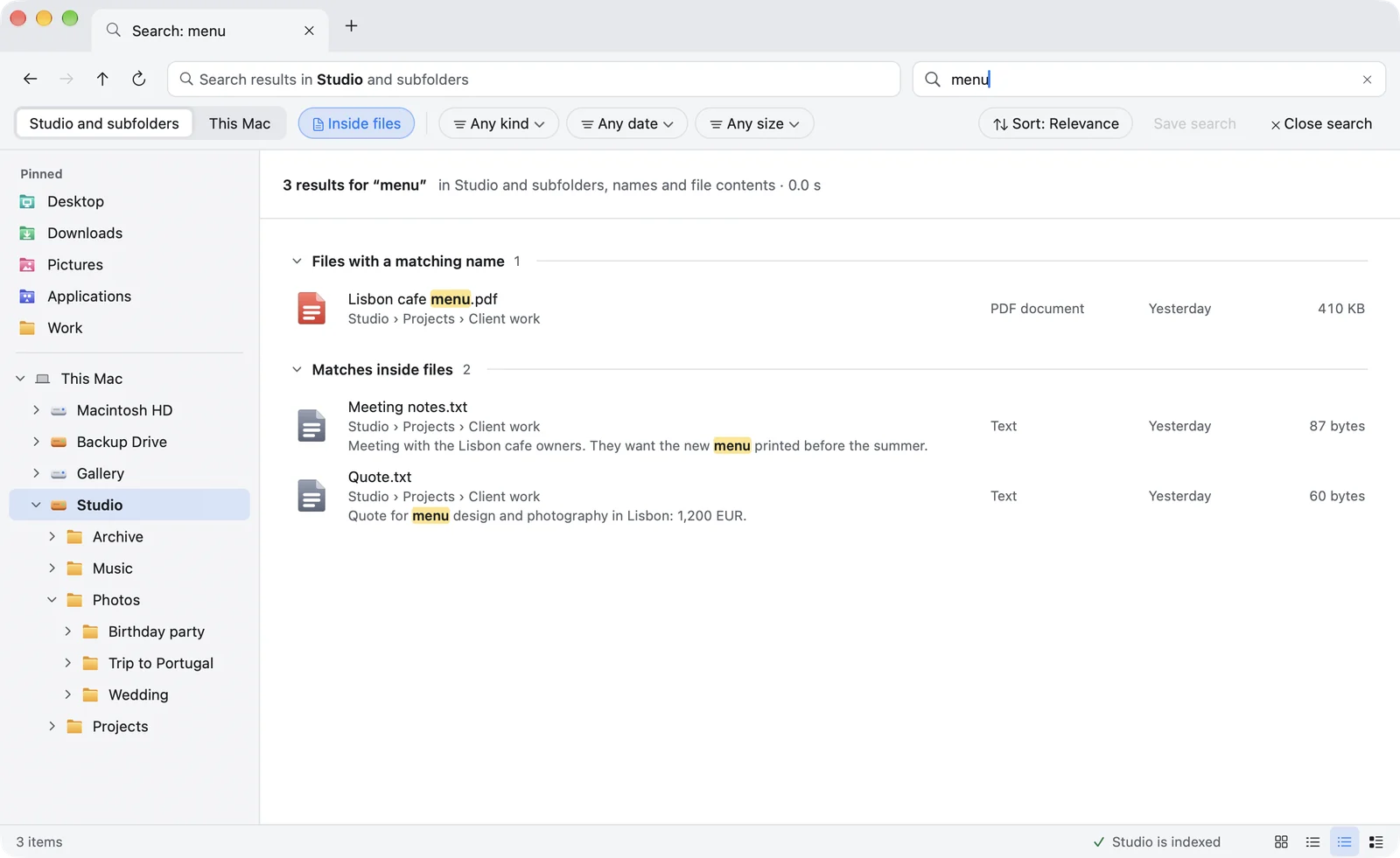
Moves you can trust. Even if your Mac crashes.
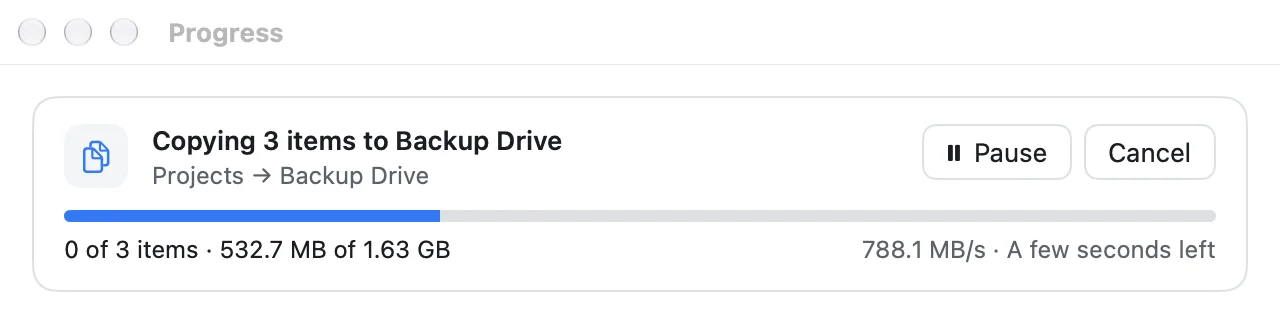
Every copy and move follows the same four promises. A release that breaks one does not ship.
The original stays until the copy is checked.
Nothing is removed from where it was until its copy is on disk and checked.
Never half a file.
A file under its real name is always whole: the old version, or the complete new one.
Nothing replaced behind your back.
Origin asks first and shows which version is newer. A replaced file goes to the Trash.
A crash is not a disaster.
Every operation is recorded as it runs. The next launch finishes it or puts everything back.
And every problem is reported. No silent skips, ever.
Your keys. Your call.
Pick the Windows key set or the Mac one, then change any shortcut. Miss Win + E? One shortcut opens Origin from any app.
| What you want to do | Windows File Explorer | Finder | Origin |
|---|---|---|---|
| Cut a file | Ctrl+X | No Cut: ⌘C, then ⌥⌘V | ⌘X |
| Paste | Ctrl+V | ⌘V | ⌘V |
| Rename | F2 | Return | F2 |
| Open the selected item | Enter | ⌘↓ | Return |
| Back to the previous folder | Backspace or Alt+← | ⌘[ | ⌫ |
| Up one level | Alt+↑ | ⌘↑ | ⌥↑ |
| Type a path | Alt+D (address bar) | ⇧⌘G (Go to Folder box) | ⌥D (address bar) |
| Refresh | F5 | Not listed | F5 |
| New folder | Ctrl+Shift+N | ⇧⌘N | ⇧⌘N |
| Delete to Recycle Bin / Trash | Delete | ⌘⌫ | ⌘⌫ or ⌦ |
| Open the file manager from anywhere | Win+E | Not listed | ⌃⌥⌘E, or your own |
File Explorer keys from Microsoft's Windows keyboard shortcuts page; Finder keys from Apple's Mac keyboard shortcuts and Finder help pages. Every Origin shortcut can be changed in Settings.
Thought through. All the way down.
This Mac, at a glance.
Your folders and every drive on one page, with the space left and an eject button right there.
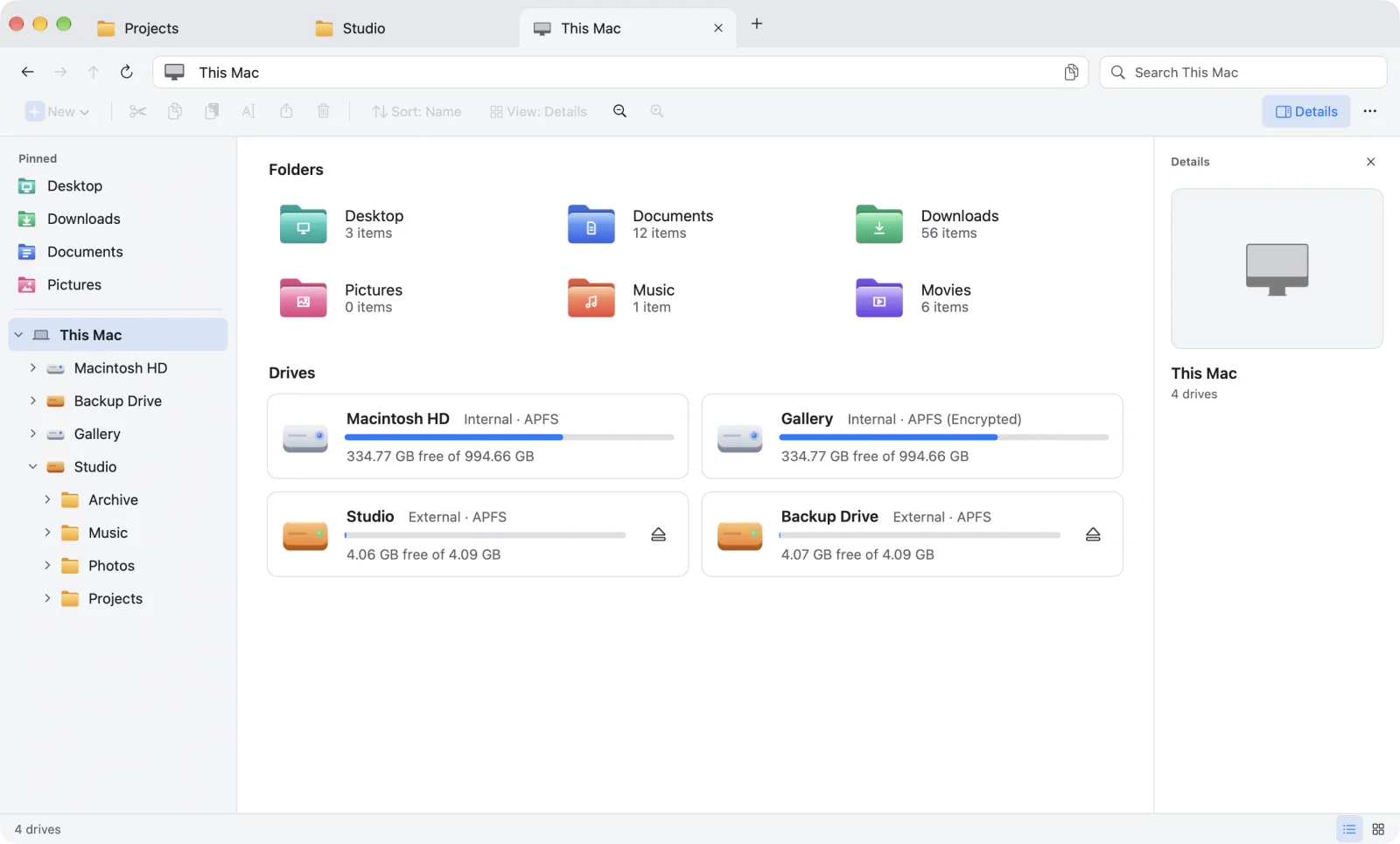
Pin folders and files.
Drag to reorder. Pins follow an item when it is renamed or moved.
Views that stay put.
View, sort and size are remembered per folder, or one view for all.
Type any path.
Click the breadcrumb or press Option-D. One click copies the path.
Like File Explorer.
Folders on top, then files, in whatever order you sort by.
Sized for your eyes.
Make everything smaller or bigger, in light or dark.
Built for people who live in their files.
Finder is fine for opening a file. It was never built for people who sort, move and organise files all day, the way File Explorer was.
| Feature | File Explorer (Windows) | Finder (Mac) | Origin (Mac) |
|---|---|---|---|
| Folder tree beside your files | ✓ Navigation pane | ✕ Sidebar of favourites | ✓ |
| Address bar you can type a path into | ✓ | Separate Go to Folder box | ✓ |
| Cut and paste files | ✓ | ✕ Copy, then ⌥⌘V | ✓ |
| F2 renames, Enter opens, Backspace goes back | ✓ | ✕ | ✓ or Mac keys, your pick |
| Change any shortcut inside the app | ✕ | ✕ | ✓ |
| Original kept until the copy is checked on disk | not documented | not documented | ✓ |
| Tabs | ✓ Windows 11 | ✓ | ✓ |
Questions, answered.
Does Origin look like Windows File Explorer?
Yes, that is the point of it. Origin follows the File Explorer layout: tabs in the title bar, an address bar with the full path, a search box, a command bar with New, Cut, Copy, Paste, Rename and Delete, a navigation pane with pinned folders and a folder tree, a file list with folders on top, a details pane on the right and a status bar. It also uses File Explorer's keys if you want them.
Is there a Windows File Explorer for Mac?
Microsoft does not make File Explorer for the Mac; the Mac's own file manager is Finder. Origin is a Mac app built to work like File Explorer: a folder tree on the left, an address bar you can type a path into, tabs, cut and paste, and Explorer's keys such as F2 to rename and Backspace (the Mac's delete key) to go back.
Can you cut and paste files on a Mac?
Not in Finder: it has no Cut for files. The workaround is to copy with Command-C, then hold Option and paste with Option-Command-V to move the item. In Origin you cut with Command-X and paste with Command-V, and the cut items fade until you paste.
Does Origin have a folder tree like Windows Explorer?
Yes. The navigation pane on the left is a real tree: expand any drive or folder in place, see where you are highlighted, and pin the folders you use most above it.
Can I type a path like in Explorer's address bar?
Yes. Click the breadcrumb, or press Option-D, and type any path. One click copies the current path.
Will my thumbnails and view settings stay the way I set them?
Yes. Thumbnails sit in a tidy grid that reflows as you resize the window and never overlap. Each folder remembers its own view, sort order and thumbnail size, and Use This View for All Folders applies one setup everywhere.
Are folders listed before files?
Yes, by default, just like File Explorer: folders on top, then files, in whatever order you sort by.
When can I try Origin?
The beta is now available. Join it on TestFlight.
What will Origin cost?
Pricing is announced before launch, and beta testers hear it first. Origin will be sold through the Mac App Store, so there is no licence key or separate account to manage.
Which Macs does it run on?
Any Mac running macOS 14 Sonoma or later.
Does Origin replace Finder?
It works alongside Finder. Use Origin for your everyday file work; Finder stays exactly as it is, and you can drag files between the two.
Can I see two folders side by side?
Yes. Split view (Option-Command-S) shows two folders side by side in one tab, each with its own view. Press F5 to copy or F6 to move the selected files to the other side, or drag them across. It is off until you turn it on.
How is Origin different from ForkLift, Commander One or Path Finder?
ForkLift and Commander One are built around two side-by-side panes, in the tradition of Total Commander. Origin follows Windows File Explorer instead: one clear window with a folder tree, an address bar, tabs and Explorer's keys, so it feels familiar from the first minute. When you do want two folders side by side, split view is one shortcut away.
Why does Origin ask for access to my disk?
Mac App Store apps can only open the folders you allow. Origin asks once, on first launch, with one click that covers your whole Mac and every drive you plug in later. You never see the question again.
Does Origin send anything about my files anywhere?
No. Origin works entirely on your Mac. There is no account and no analytics, and your file names and folders never leave your machine.
What happens if my Mac crashes in the middle of a big move?
Origin keeps a record of every operation on disk as it works. The next time it opens, it finds anything left unfinished and either completes it or puts everything back. The original is never removed until its copy has been checked.
Is Origin the same as EA Origin or OriginLab?
No. Origin by WonderJoy is a file manager for the Mac. It is not related to EA's former Origin game launcher (now replaced by the EA app) or to OriginLab's Origin data-analysis software.
Start at the origin.
The file manager Mac switchers have been waiting for is almost here. Join the beta and tell us what you need most.
Join the betaComing soon to the Mac App Store · macOS 14 or later