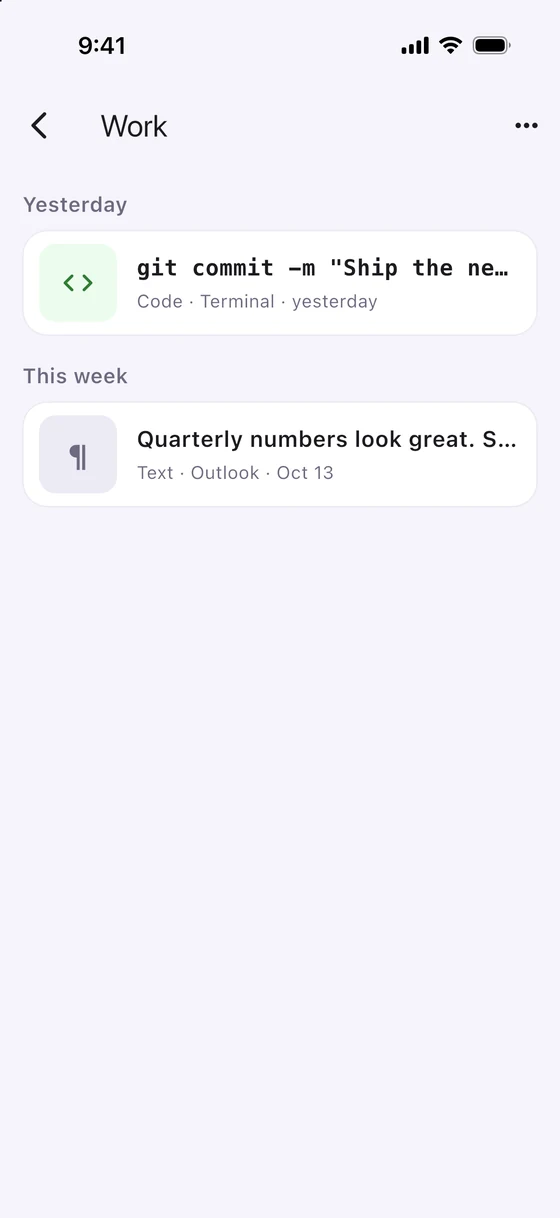
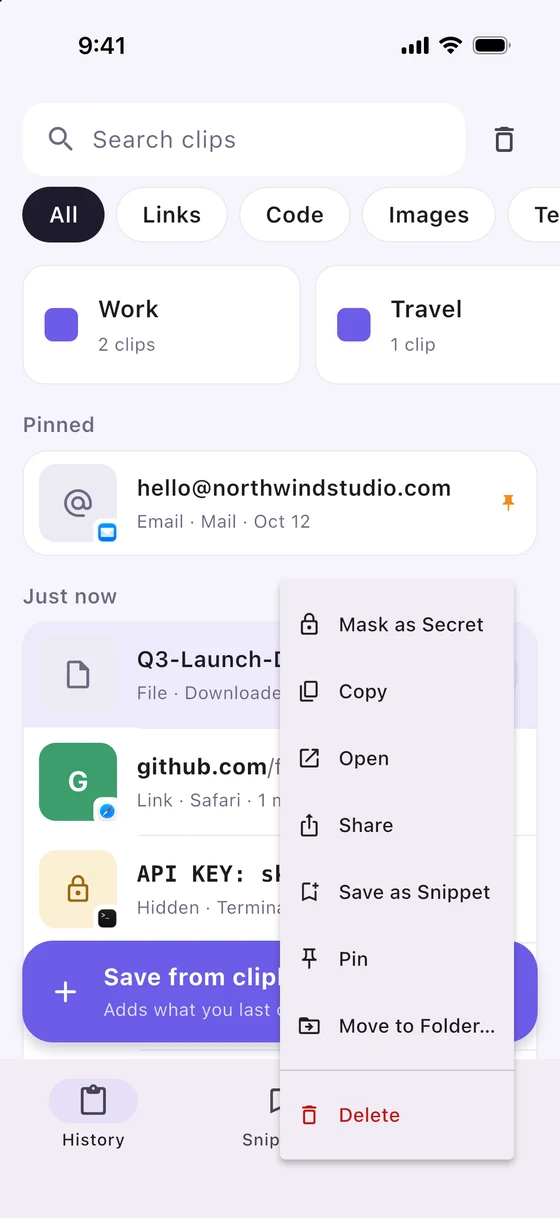
📋 macOS · Windows · iPhone · Android

Copy on one device.
Paste on any of them.

Clipnest is a clipboard manager with a searchable history that syncs across Mac, Windows, iPhone and Android over your own Wi-Fi. No cloud account. Encrypted end to end. It knows what a secret looks like, and it costs $14.99 once for five devices.

Coming soon See how it works
$14.99 once · sync across 5 devices $2 once · unlimited history on one device Free for your first 20 items
No cloud, no account. Your devices talk to each other directly.
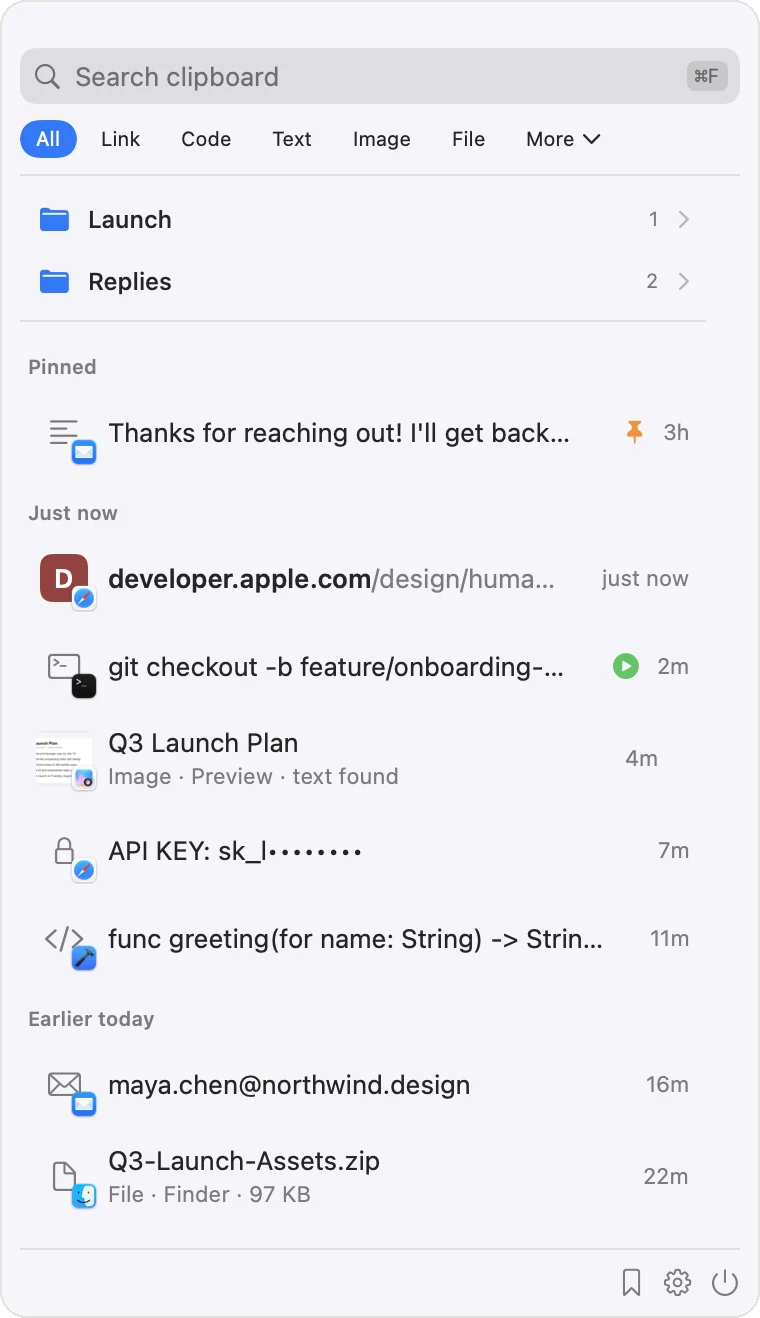
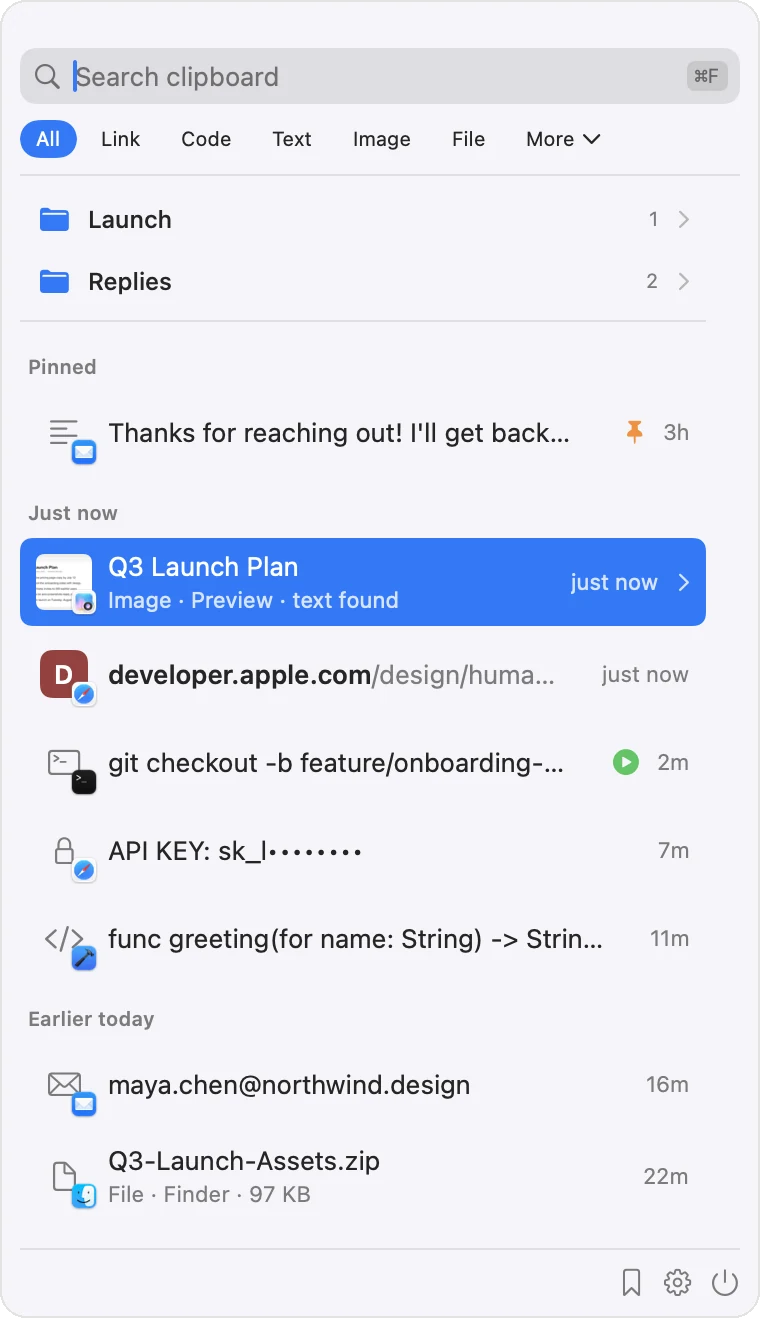
A clipboard that finally remembers

Private by default

It knows what a secret looks like.

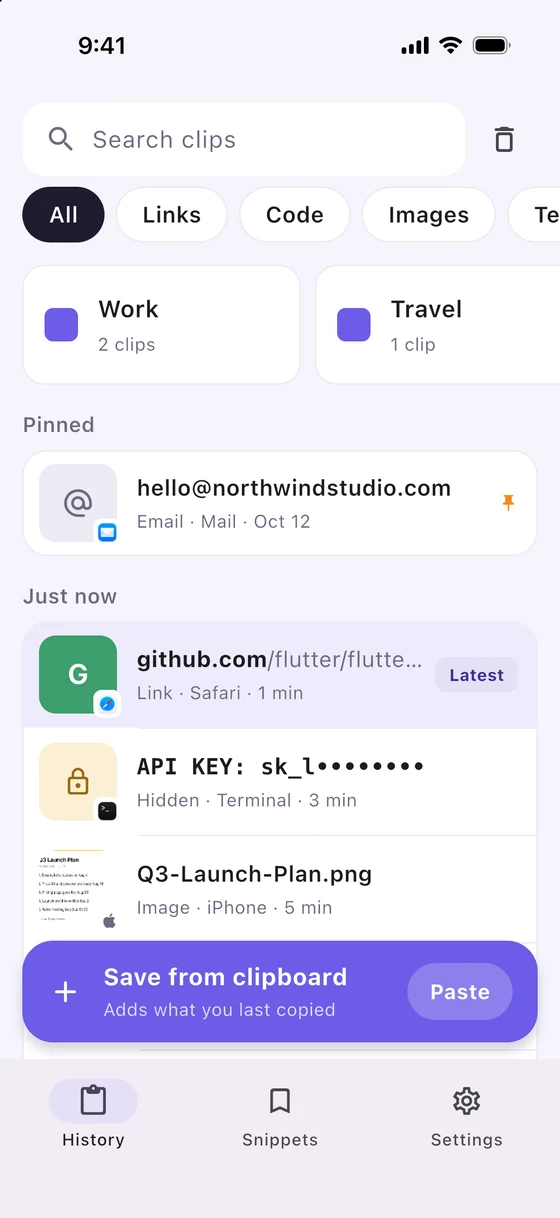
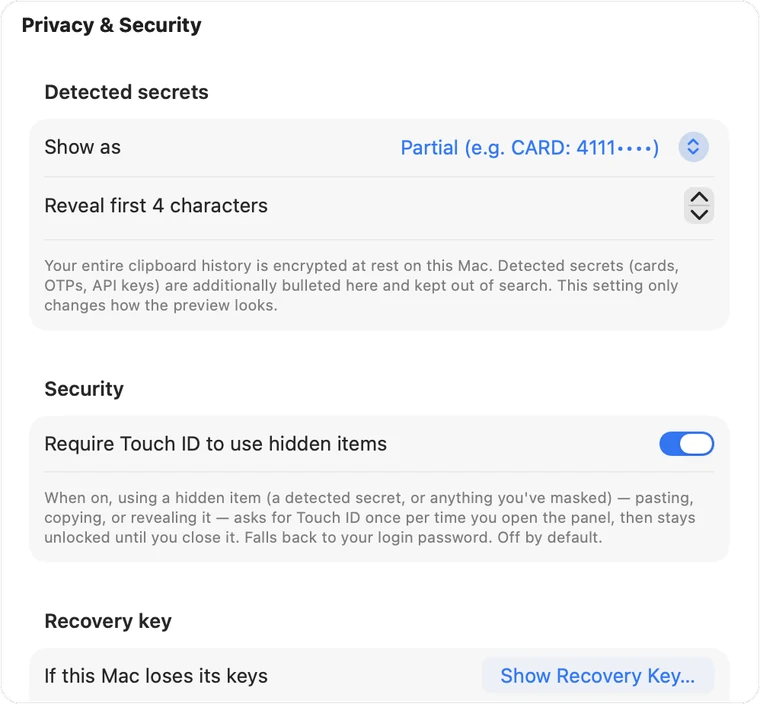
Passwords, card numbers, one time codes, API keys and private keys are recognised the instant they are copied, kept out of the search index, and shown only as a typed preview like CARD: 4111••••. Apps you exclude, your password manager for example, are never captured at all. Lock the app behind Touch ID on your Mac. And on every device the whole database is encrypted at rest with SQLCipher: the key lives in the Keychain (or your phone's secure storage), bound to that device and impossible to export.

Secrets masked and unsearchable Excluded apps never captured Whole-DB encryption on every device Touch ID lock
Encrypted at rest · SQLCipher
Even the database file is unreadable without that device's key.
# You copy a live key…
sk_live_51H9x…a2Zq
# Clipnest stores it as
API_KEY: sk_live_••••••••  ✓ masked · excluded from search
Clipboard sync

One clipboard history on every device.

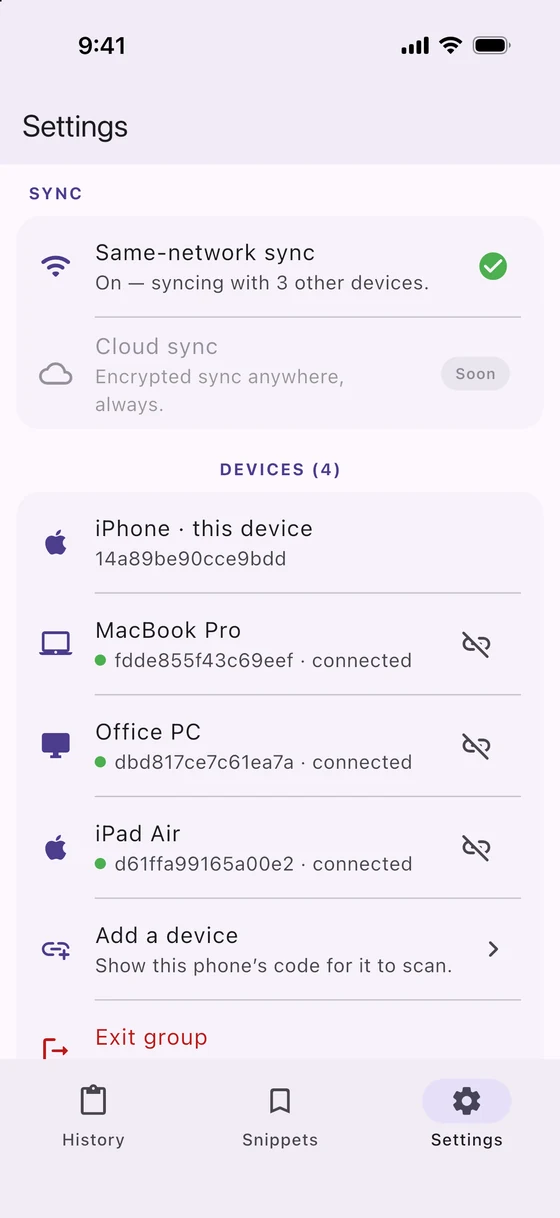
Scan a code on the new device, match the six digits that appear on both, done. From then on your Mac, your Windows PC, your iPhone and your Android phone share the same history, talking to each other directly over your Wi-Fi. There is no bucket to configure, no beta program to join and no APK to sideload.

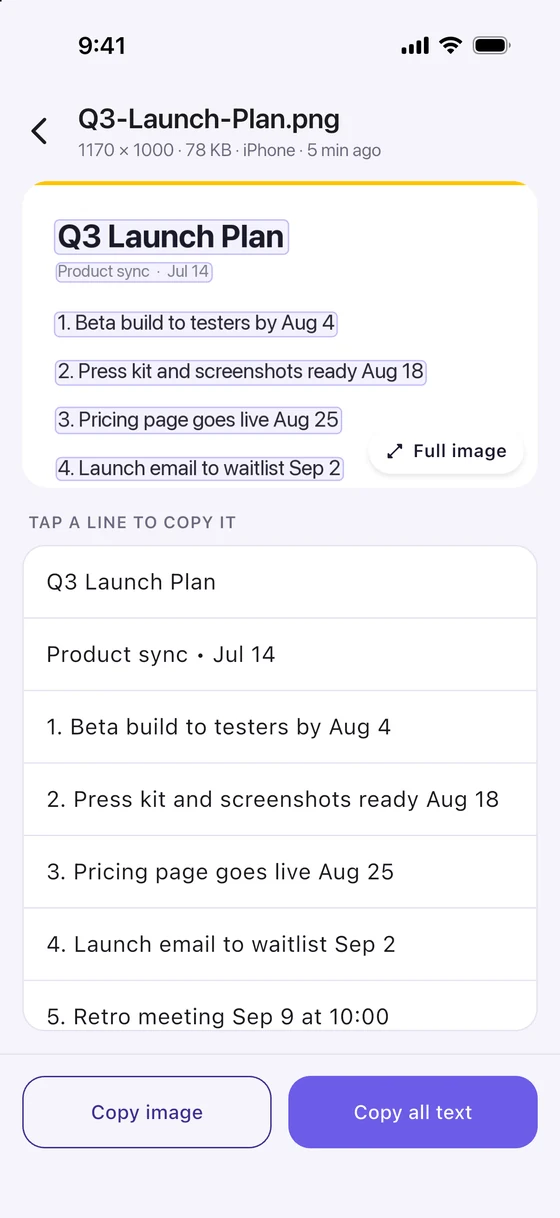
Images sync too, not just text. From your iPhone you can share into your history straight from any app's share sheet, without opening Clipnest first. Pin something on Windows and it is pinned on the Mac. Delete something, or let Auto-delete history age it out, and it disappears from every paired device. A device that was offline catches up the moment it reconnects. Today both devices need to be on the same network; sync across the internet comes later.

Mac · Windows · iPhone · Android No cloud, no account Offline? Catches up Up to 5 devices
🔒 paired over your Wi-Fi · encrypted end to end 482 913 confirm on both devices
Instant search

Hit V and start typing.

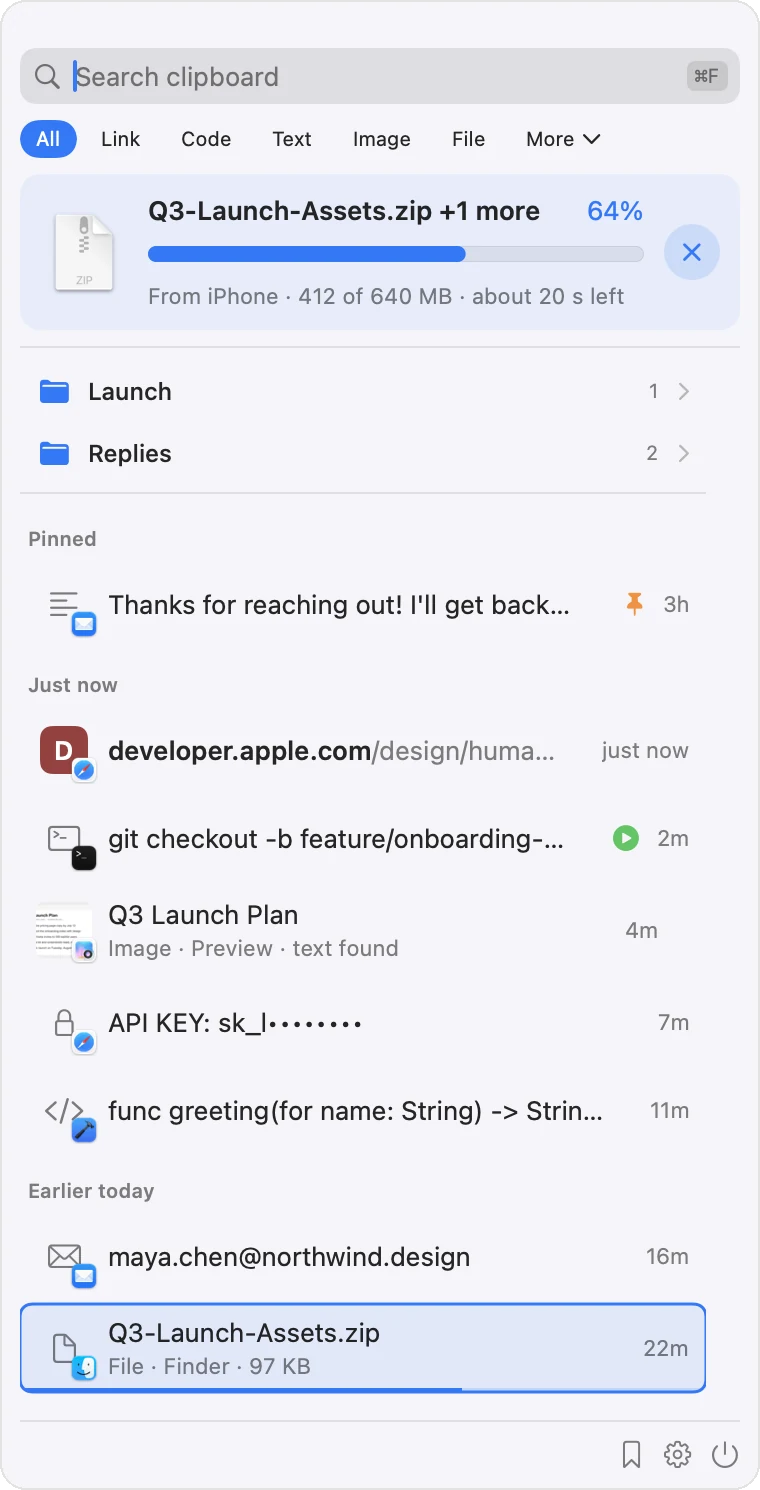
A Spotlight-style panel drops down over whatever you're doing. Full-text FTS5 search races through everything you've ever copied as you type, ranked by how recently and often you use it. Arrow keys to move, to paste. Your hands never leave the keyboard. On Windows the same list lives in the tray behind your own hotkey.

Full-text FTS5 Frequency + recency ranking 100% keyboard
Capture everything

Text, images, and real files. All of it.

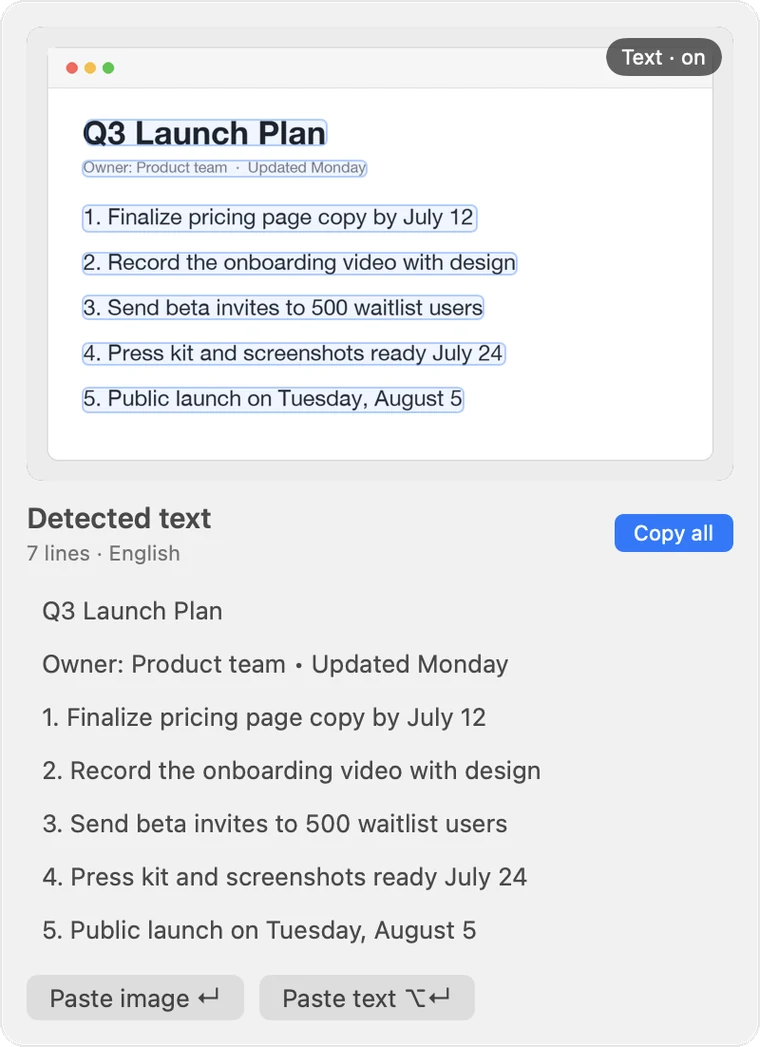
Clipnest quietly captures everything you copy: plain and rich text, screenshots and images (read with on-device Vision OCR on the Mac so you can search the words inside them), and actual files as a soft copy you can paste straight back into Finder. Auto-sorted into link, code, email, text, image and file categories. On Android you can capture from the Share sheet or the "select text, then Clipnest" action, with no accessibility service and no background service running.

On-device OCR File soft-copy on Mac Auto-categorized
Recent captures
📄
Q3-Report-final.key
File · 8.4 MB · paste back into Finder
🖼️
Screenshot 2026-07-14 at 09.41
Image · 1920×1200
◉ OCR “Total due: $1,240.00”
🔗
github.com/wonderjoy/clipnest
Link · shared from Safari on iPhone
Snippets & folders

Keep the clips you reach for again and again.

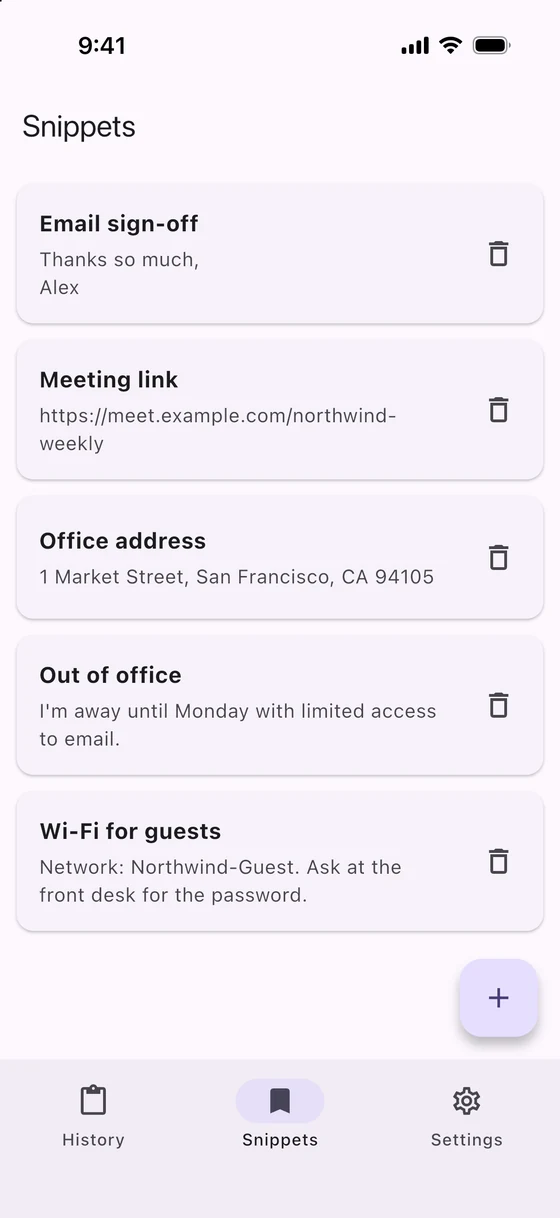
Promote any clip to a reusable snippet and drop it into a folder: email signatures, boilerplate replies, that one shell command you always forget. Snippets are independent copies, so they never expire with your rolling history. Recall them from the same search panel.

Reusable snippets Organize in folders Never expire
Snippets
📁 Email replies 6
✍️ Signature (full) ;sig
💬 “Thanks, following up…” ;fu
📁 Dev shortcuts 9
⌘ git reset --hard origin/main ;grh
⌘ docker compose up -d --build ;dcu
📁 Addresses 3
Paste anywhere

Pick a clip. It lands in the app you left.

Choose any item and Clipnest re-focuses the app you were just in and fires V for you, no manual switching. Need it clean? pastes as plain text and strips the formatting. Pin what matters, soft-delete the rest and pull it back from Recently deleted. And Auto-delete history clears the old stuff on a schedule you pick (never, 1 day, 3 days, 1 week, 2 weeks, 30 days, 2 months or 3 months); what it deletes disappears on every paired device, while pinned and filed clips are always kept.

Auto-paste into any app Paste as plain text Pin · restore · auto-delete history

Up and running in under a minute

No account, no setup. Install, copy something, search.

1

Install & open

Clipnest lives in your menu bar on the Mac and your tray on Windows. No Dock icon, no clutter. It starts capturing what you copy right away.

2

Grant Accessibility

One optional macOS permission lets Clipnest paste straight back into your apps. Skip it and it still copies for you.

3

Search & paste

Press V, type a few letters, hit . That's it.

4

Add your other devices

Scan the code, match the six digits, done. Up to five devices share one history over your own Wi-Fi.

Why people switch

Cross-device sync is table stakes now. Clipnest is the one that also guards your secrets, reads your screenshots, keeps your snippets, and costs $14.99 once for five devices.

Feature Paste Octoclip UniClipboard Clipnest
Mac + Windows + iPhone + Android Apple only (+Linux)
Sync with no cloud account (iCloud) nearby ; cloud needs your own S3/WebDAV
End to end encrypted, no server in the middle nearby only
Whole history encrypted at rest, device-bound key not documented
Secrets masked and kept out of search not documented not documented
Never captures from apps you exclude not documented not documented
OCR search inside screenshots not documented not documented
Snippets & folders (aliases, collections) not documented
Auto-paste into the app you left, plain-text paste not documented not documented
Auto-delete history on every device not documented not documented
Sync across the internet (iCloud) via your own bucket later
Price for 5 devices $29.99 / yr $39.99 once free (open source) $14.99 once
Free tier trial 1 nearby device, recent clips everything 20 items

Based on each product's published documentation, August 2026. "Not documented" means we could not find the feature described; tell us if we missed it.

Pay once. Own it.

No subscription, no account. Start free, unlock one device for the price of a coffee, or sync five of them for half of what one year of the competition costs.

Free

$0
One device, forever
  • Your first 20 items
  • Every feature unlocked
  • Search, snippets, secret masking
  • No account, no card
Coming soon

Local

$2 once
Per platform, no subscription
  • Unlimited history on that device
  • Snippets and folders
  • Auto-delete history on your schedule
  • Encrypted at rest, secrets masked
Coming soon

Cloud Sync for devices on different networks comes later as an optional subscription.

Questions, answered

Everything you might want to know before you download.

Which platforms does Clipnest run on?

macOS 13 (Ventura) and later on both Apple Silicon and Intel, Windows as a tray app with a hotkey, paste-back and OCR, plus iPhone and Android. Every device you pair shares the same clipboard history.

Does anything I copy leave my device?

Only to the devices you paired yourself, and only directly over your local network. The transfer is encrypted end to end. There is no server in the middle and no account to create, so nothing is ever uploaded to us. On every device the history itself sits in a database encrypted at rest with SQLCipher.

How does sync work?

Scan a QR code on the new device, or paste the link or type the address if you'd rather. Both devices then show the same six digit code and both of you confirm it. After that they talk to each other directly over Wi-Fi. Up to 5 devices, any member can add the next one, and a device that was offline catches up when it reconnects. Today both devices need to be on the same network; sync across the internet comes later.

Can a stranger on my Wi-Fi join my clipboard?

No. Pairing only completes when the same six digit code is shown on both devices and confirmed on both. Being on the network is not enough. If you remove a device, it cannot rejoin without pairing again from scratch.

How does the secret masking work?

When you copy something that looks like a password, credit card, one time code, API key or private key, Clipnest detects it on the spot, keeps it out of the search index, and shows only a typed preview like CARD: 4111••••. You can still paste it, it is just never displayed or searchable in full. It's configurable per category, and apps you exclude (your password manager, for instance) are never captured at all.

Why does it ask for Accessibility permission on Mac?

Only so it can paste for you: after you pick a clip, Clipnest re-focuses the app you were in and presses ⌘V. If you'd rather not grant it, Clipnest simply copies the item to your clipboard and you paste it yourself. Nothing is ever recorded.

Does it sync images as well as text?

Yes. Text, links, code, email addresses and images all sync to your paired devices. Files are a Mac feature and stay on the Mac they were copied on, they are not sent to your other devices.

How is Clipnest priced?

Free for your first 20 items on one device, with every feature unlocked. Local is $2 paid once, per platform, for unlimited history on that device. Sync is $14.99 paid once for up to 5 devices over your local network. Cloud Sync for devices on different networks comes later as an optional subscription.

Why not just use Universal Clipboard?

Universal Clipboard only works between Apple devices and only carries the last thing you copied. There is no history, no search, and nothing at all for Windows or Android. Clipnest keeps a searchable history and syncs it to every device you paired, whichever platform it runs. See the guides on iPhone and Windows and Android and Mac.

Do I need to run my own storage like with Octoclip?

No. Octoclip's published documentation says its cloud sync runs through a WebDAV or S3 bucket you supply and protect with a master password. Clipnest has no bucket to configure: paired devices talk to each other directly over your network.

Stop losing what you copy. On every device.

Search everything you've ever copied, keep your secrets masked, and paste it back on whichever device you happen to be holding.

Coming soon
Free for 20 items · $2 once for one device · $14.99 once for five